Order Lifecycle
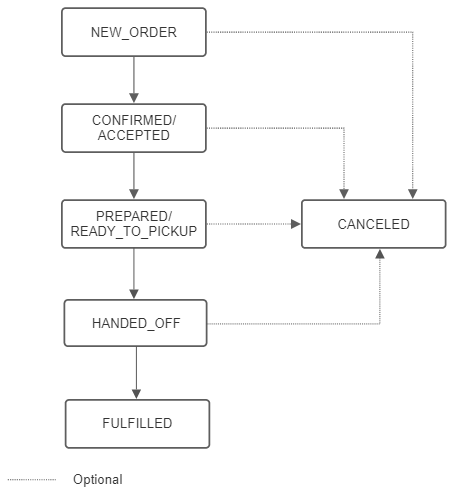
The order lifecycle is composed of the possible state transitions that can happen to the order.
-
The order lifecycle starts with NEW_ORDER status. In general, orders will be created in this status. However, it is possible to create orders in a more advanced status in case of state transitions happening earlier on the integration side.
-
After a new order is placed it must be accepted, either manually or automatically. This moves the order into the ORDER_ACCEPTED status.
-
Once the store completes preparation of the order, it moves into the ORDER_READY_TO_PICKUP status.
-
After the order is delivered or picked up by the customer, the state will change to ORDER_FULFILLED.
-
This is the terminal state for a successful order.
An order can be canceled at any point, which will change the status to ORDER_CANCELED. This is the terminal state for a failed order.