Report without Notification Flow
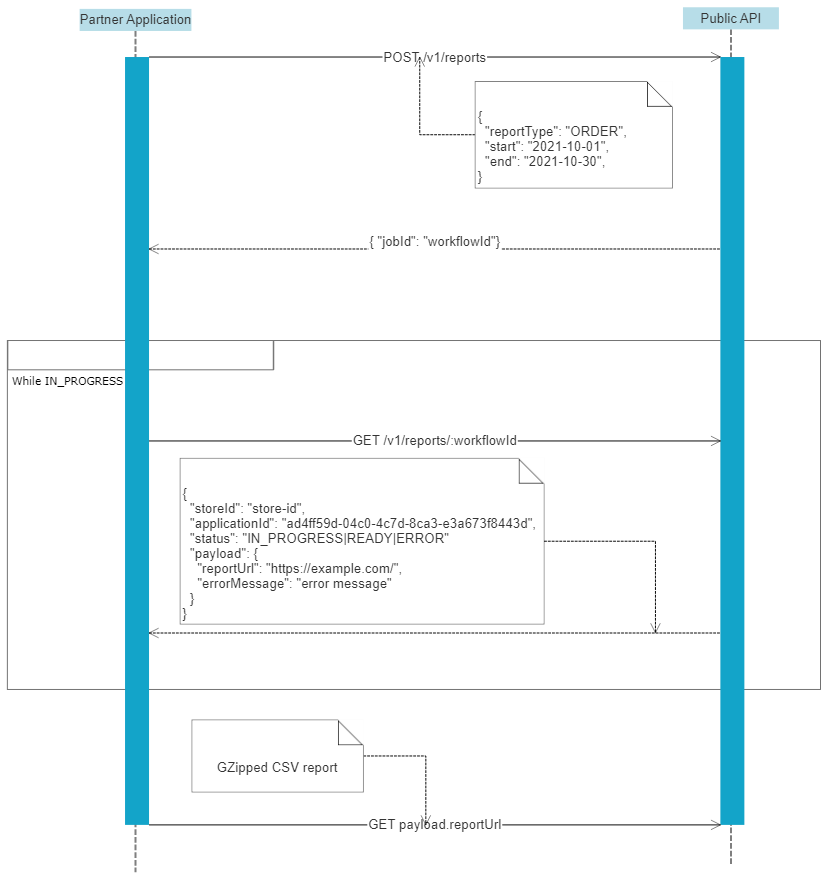
- Partner application requests report to be generated providing type of report, date range, and additional filters
- Public API returns reportId
- Partner application checks the report status periodically using
/v1/reports/:reportId endpoint
- Public API responds with either
IN_PROGRESS, READY, or ERROR statuses.
READY status message contains also URL for downloading the reportERROR status message contains also additional information explaining error details- If status is
READY partner application downloads the report using provided URL